• About
  • Contact
  • FAQs
  • DSLR Guide Books
Login Logout
Logo of White Knight Press
Alex White - Author of camera guide books
  • Current Books
  • Forthcoming Books
  • PDF and Ebook Download Support
  • Updates and Corrections
  • Sample Photos
  • Reviews
  • Blog
  • Privacy Policy
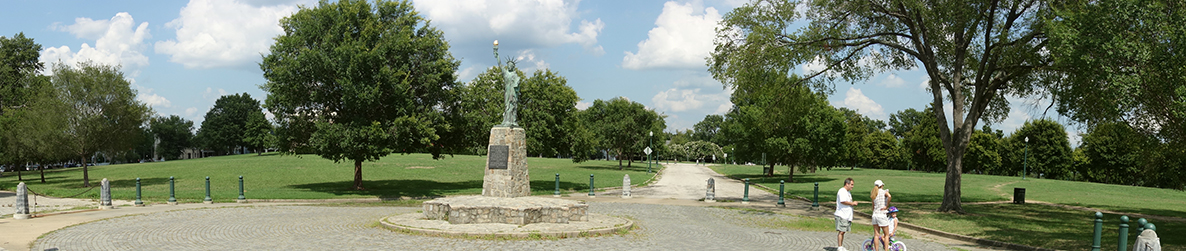
  • Miniature Statue of Liberty at Chimborazo Park, Richmond, Virginia

    Sample Photos from the Nikon Coolpix P600 Camera

    FacebookTweetPin

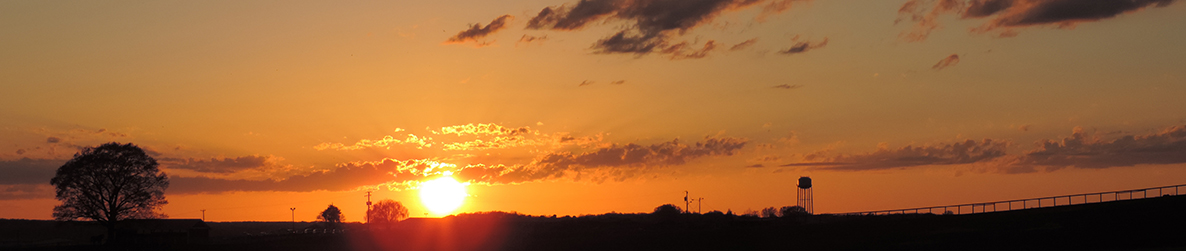
    The images in the gallery on this page are ones that I took with my P600  camera for use in Photographer’s Guide to the Nikon Coolpix P600.

     

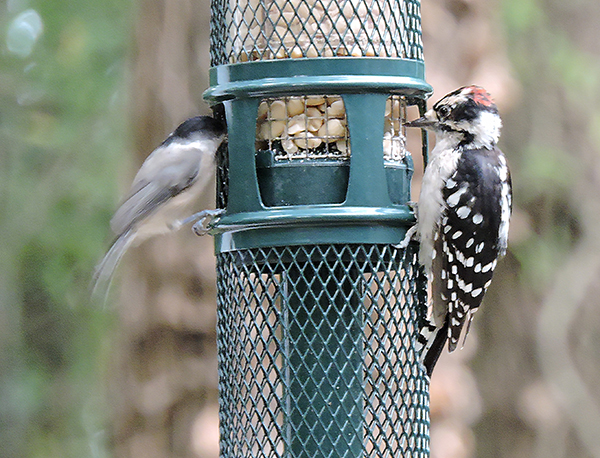
    Woodpecker

    Woodpecker
    Image 14 of 14

    f/5.6, 1/30 sec, ISO 900, 800mm focal length, Bird-watching setting of Scene mode

    25 thoughts on “Sample Photos from the Nikon Coolpix P600 Camera”

    1. Mahidhar September 23, 2014 at 9:29 am

      Hi, can you provide camera settings you have used for this shot

      Reply ↓
      1. Alex White Post authorSeptember 23, 2014 at 10:15 am

        Hi — I assume you’re talking about the first image, of the bird on the fence. That was taken with the Bird-watching setting, with the lens zoomed in to 1440mm, at f/6.5 with a shutter speed of 1/60 second and ISO 450. The Matrix metering mode was used.

        Reply ↓
        1. Rizwan April 1, 2015 at 3:08 pm

          Thank you so much sir

          Reply ↓
    2. Murray Everett November 11, 2014 at 3:45 pm

      Gorgeous pictures; color, clarity, closeups and scenes. I’m ordering Alex’s book

      Reply ↓
      1. Alex White Post authorNovember 11, 2014 at 3:48 pm

        Thanks!

        Reply ↓
    3. Manish November 12, 2014 at 6:42 am

      HI Alex

      Can we make the background in the 1st image of a bird more blur by using Nikon P600? Because the background is not blur enough to divert our attention towards the object(bird). It distracts and irritates eyes. Please suggest.

      Reply ↓
    4. Manish November 12, 2014 at 6:47 am

      HI Alex

      can you provide camera settings you have used for all the Nikon P600 sample photos? This will help us understanding better about the camera settings and its effect(resultant photo).

      Thanks
      Manish

      Reply ↓
      1. Alex White Post authorNovember 12, 2014 at 8:59 am

        Hi, Manish — I took a look at the various bird photos on the sample photos page for the P600 camera, and I think I see what you mean. In the first photo, the background is more distracting than for the other bird photos. I don’t think there would be an easy way to use different settings for that photo to get the background more blurred; the image was taken using a very long focal length, which caused a good deal of blurring of the background. I think the issue with that photo is that the background itself is somewhat distracting, with its bright highlights that contrast with the dark green areas. I think the background would have looked better and less distracting if it were more uniform in color.

        –Alex

        Reply ↓
      2. Alex White Post authorNovember 12, 2014 at 9:33 am

        Hello, Manish — Okay, that’s a good suggestion. I have added the settings to the gallery, so they will show up as you view the photos.

        — Alex

        Reply ↓
    5. Manish November 12, 2014 at 10:46 pm

      Great! Thanks!! You may would like to show the camera settings for other models too.

      Reply ↓
    6. Eman January 25, 2015 at 7:52 pm

      Hi! I find your page was very useful. I wanted to get the ebook on iTunes but it was not made available in Malaysian store sadly. Keep up the good work =)

      Reply ↓
      1. Alex White Post authorJanuary 25, 2015 at 8:02 pm

        Hello — Thanks for your comment. You can purchase the bundle of ebook formats directly from this site; that bundle includes the same ePub version that is sold through the iBookstore. Here a link to the page for purchasing the book that way. Let me know if you have any questions.

        Reply ↓
    7. shyam July 24, 2015 at 2:55 am

      How do u come to know what is the focal length, i mean where should i set it

      Reply ↓
      1. Alex White Post authorJuly 24, 2015 at 8:26 am

        You use the zoom lever to set the focal length, according to the distance from your subject and the angle of view you are interested in. If the main subject is far away, you may want to zoom the lens in so the subject will be magnified enough to see it clearly. If you want to have a wide view of a room or a landscape, you will need to zoom the lens back out to its wide-angle position.

        Reply ↓
    8. melreese August 26, 2015 at 12:26 am

      Hello
      can this same or similar effect be done on the Coolpix L850 ? If so, could I get some information on how to do that? I need to shoot some photos with a blurred background. Thank you so much.

      Reply ↓
      1. Alex White Post authorAugust 26, 2015 at 8:21 am

        Hello — I couldn’t find any information on the Coolpix L850, so I’ll answer for the L840. I haven’t worked with that model, but I understand that it does not have shooting modes such as Aperture Priority or Manual, which you would use in order to set a wide aperture to blur the background. What you can do, though, is use a fairly long focal length with the zoom lens, such as 400mm or higher, and get as close to the foreground subject as possible, with the background fairly far in the distance beyond the foreground subject. With that arrangement, the background should be blurred to a fairly good extent. To increase the blurring effect, use a longer focal length. Also, if you can control the lighting, try to have fairly dim lighting so the camera will use a wider aperture.

        Reply ↓
    9. mohit November 11, 2015 at 4:04 pm

      hi Alex, i see you can take great pics , i always thought if i need to take such pics i have to use DSLR but now i know its possible from point n shoot cameras too, but that also makes me wonder in what respect we can give DSLR more advantage ?

      Reply ↓
      1. Alex White Post authorNovember 11, 2015 at 4:35 pm

        If you can be a bit more specific with your question, I’ll respond if I can. I’m not sure I will have a great answer, because I work mostly with point-and-shoot cameras and am not that familiar with the larger models.

        Reply ↓
    10. Dave Preston December 15, 2015 at 8:29 am

      How do you know / set what the ISO settings are and set Matrix metering method when using Birdwatching scene mode? All I see is shutter speed and aperture

      Reply ↓
      1. Alex White Post authorDecember 15, 2015 at 9:38 am

        The Birdwatching setting is a setting in Scene mode, in which the camera controls most of the settings automatically. You cannot adjust settings like ISO and metering method in Scene mode. You would have to switch to a shooting mode like Program, Aperture Priority, Shutter Priority, or Manual if you want to control more settings. If you want to know what ISO setting the camera is using, you can take a picture and then check the ISO setting for that image in playback mode.

        Reply ↓
    11. Dave Preston December 15, 2015 at 9:57 am

      Thanks for the prompt response Alex. Ah, just taken a photo, switched to playback and pressed the Display button and sure enough it shows the ISO at 800. I thought you were showing the settings you had ‘chosen’ but I guess as you are in a scene mode you are telling us what the camera selected, so I guess you have zoomed and the camera did the rest? Did you ascertain the focal length as it was at maximum zoom and you know this is 1440, as all I see is 800mm until it gets to telephoto marker then nothing? The results I get in this mode at max zoom don’t seem as good as yours but lighting conditions may have been better; mine are hand held but I’m not sure if they would improve as they are consistent

      Reply ↓
      1. Alex White Post authorDecember 15, 2015 at 10:47 am

        To tell what focal length was used, if the maximum focal length was used I would know that the value was 1440mm. Another way I can tell the focal length is by looking at the metadata in the software I use for managing my images. I generally use Adobe Bridge, though I sometimes use the Nikon software also.

        Reply ↓
    12. Dave Preston December 15, 2015 at 11:00 am

      That’s interesting, I didn’t realise this type of information was held in the JPG but I’ve just looked at the properties and sure enough it’s there – brilliant! Many thanks

      Reply ↓
    13. Clarence March 12, 2020 at 6:21 pm

      How to take a screen shot on Nikon P600?

      Reply ↓
      1. Alex White Post authorMarch 12, 2020 at 6:54 pm

        The only way I know of is to use another camera and aim at the screen.

        Reply ↓

    Leave a Reply Cancel reply

    Your email address will not be published. Required fields are marked *

    Recent Posts

    • Sony RX10 IV Book French Version Now Available in Paperback
    • Sony Releases Firmware Upgrade Version 2.00 for a7C Camera
    • French Translation of Sony RX10 IV Book Now Available
    • Improving Access to the Sony a7C Menu System
    • Using Multi Flash Firing with the Sony HVL-F28RM Flash and the Sony a7C Camera

    Recent Comments

    • Eddy Lerminiau on Photographer’s Guide to the Sony DSC-RX10 IV
    • Enrique on Photographer’s Guide to the Nikon Coolpix P520
    • Lynne Arnault on Photographer’s Guide to the Sony DSC-RX10 IV
    • Neil Constable on Photographer’s Guide to the Sony RX100 VII
    • Murmu kola on Photographer’s Guide to the Nikon Coolpix P900

    Categories

    • Accessories
    • Amazon.co.uk
    • Amazon.com
    • Apple iBooks
    • Book Availability
    • Book Information
    • Canon PowerShot S100
    • Canon PowerShot S110
    • Digiscoping
    • Firmware Upgrade Information
    • Fujifilm FinePix X100
    • Fujifilm X10
    • high-speed photography
    • Infrared
    • Kindle
    • Miniature Effect
    • Movies
    • multiple exposure
    • Nikon Coolpix B700
    • Nook
    • Panasonic Lumix LX7
    • PDF Download Assistance
    • PDF Version
    • Photo Examples
    • Sony DSC-RX100
    • Sony DSC-RX100 II
    • Sony RX10
    • Street Photography
    • Super Slow Motion
    • Technical Support
    • Uncategorized
    • Updates
    • Video demonstrations
    • Water drop photography
    • White Balance

    Archives

    • December 2021
    • February 2021
    • January 2021
    • March 2020
    • January 2020
    • October 2019
    • September 2019
    • August 2019
    • March 2019
    • February 2019
    • December 2018
    • November 2018
    • October 2018
    • September 2018
    • June 2018
    • April 2018
    • January 2018
    • December 2017
    • November 2017
    • September 2017
    • August 2017
    • June 2017
    • March 2017
    • February 2017
    • January 2017
    • December 2016
    • July 2016
    • June 2016
    • March 2016
    • February 2016
    • November 2015
    • September 2015
    • August 2015
    • June 2015
    • May 2015
    • March 2015
    • February 2015
    • January 2015
    • November 2014
    • October 2014
    • September 2014
    • August 2014
    • June 2014
    • May 2014
    • April 2014
    • March 2014
    • December 2013
    • October 2013
    • September 2013
    • August 2013
    • July 2013
    • June 2013
    • May 2013
    • April 2013
    • March 2013
    • February 2013
    • January 2013
    • December 2012
    • November 2012
    • October 2012
    • September 2012
    • August 2012
    • July 2012
    • June 2012
    • May 2012
    • April 2012
    • March 2012
    • February 2012
    • January 2012
    • December 2011
    • November 2011
    • October 2011
    • September 2011
    • August 2011
    • July 2011
    • June 2011
    • May 2011
    • April 2011
    • March 2011
    • February 2011
    • January 2011
    • December 2010
    • November 2010
    • October 2010
    • September 2010
    • August 2010
    • July 2010
    • January 2010
    • December 2009
    • November 2009
    • October 2009

    Blogroll

    • Documentation

    Firmware upgrades

    • Leica D-Lux 4 firmware upgrade
    • Panasonic Lumix LX3 firmware upgrade

    Instruction manuals

    • Leica D-Lux 4 operation manual
    • Leica D-Lux 5 operation manual
    • Panasonic Lumix LX3 operating manual
    • Panasonic Lumix LX5 operating manual

    Leica

    • Digital Photography Review – Leica Talk Forum
    • Leica D-Lux 4 firmware upgrade
    • Leica D-Lux 4 operation manual
    • Leica D-Lux 5 operation manual
    • Leica Rumors
    • Leica User Forum – Digital Forum
    • Panasonic Lumix LX3 firmware upgrade

    Panasonic

    • Digital Photography Review – Panasonic Talk Forum
    • Guy Parsons' Panasonic Lumix LX3 and LX5 Information
    • LX3-Photography
    • Panasonic Lumix LX3 operating manual
    • Panasonic Lumix LX5 operating manual

    Recent Posts

    • Sony RX10 IV Book French Version Now Available in Paperback December 31, 2021
    • Sony Releases Firmware Upgrade Version 2.00 for a7C Camera December 7, 2021
    • French Translation of Sony RX10 IV Book Now Available December 3, 2021
    • Improving Access to the Sony a7C Menu System February 4, 2021
    • Using Multi Flash Firing with the Sony HVL-F28RM Flash and the Sony a7C Camera January 29, 2021
    • Using a Bluetooth Remote Control with the Sony a7C Camera January 24, 2021
    • Sony a7C Book Now Available in Paperback January 14, 2021
    • Sony a7C Book Now Available in Downloadable Versions January 3, 2021
    • Nikon Coolpix P950 Book Now Available in Paperback March 28, 2020
    • Nikon Coolpix P950 Book Now Available in Downloadable Versions March 25, 2020

    Alexander S. White is a participant in the Amazon Services LLC Associates Program, an affiliate advertising program designed to provide a means for sites to earn advertising fees by advertising and linking to amazon.com. When one of the Amazon Buy button links is clicked on, I may earn a small affiliate fee from Amazon.

    slot gacor
    Get connected with us on social networks!
    Company name

    Alexander S. White is a participant in the Amazon Services LLC Associates Program, an affiliate advertising program designed to provide a means for sites to earn advertising fees by advertising and linking to amazon.com. When one of the Amazon Buy button links is clicked on, I may earn a small affiliate fee from Amazon.

    Useful links

    • Privacy Policy
    • Contact
    Useful links

    • About us
    • FAQs
    • Legal
    Contact

    Henrico, Virginia, 23238 US

    contact@whiteknightpress.com

    © 2021 Copyright: alexwhite.com
    Skip to content
    Open toolbar Accessibility Tools

    Accessibility Tools

    • Increase TextIncrease Text
    • Decrease TextDecrease Text
    • GrayscaleGrayscale
    • High ContrastHigh Contrast
    • Negative ContrastNegative Contrast
    • Light BackgroundLight Background
    • Links UnderlineLinks Underline
    • Readable FontReadable Font
    • Reset Reset